
Sites & Local Domains
Create and manage your local development websites effortlessly.
The core purpose of Kythia Workspace is to serve your web applications locally. The Sites Manager provides an elegant interface to bind your project folders to beautiful, local domains (e.g., my-project.test) without the hassle of manually configuring web servers or editing host files.
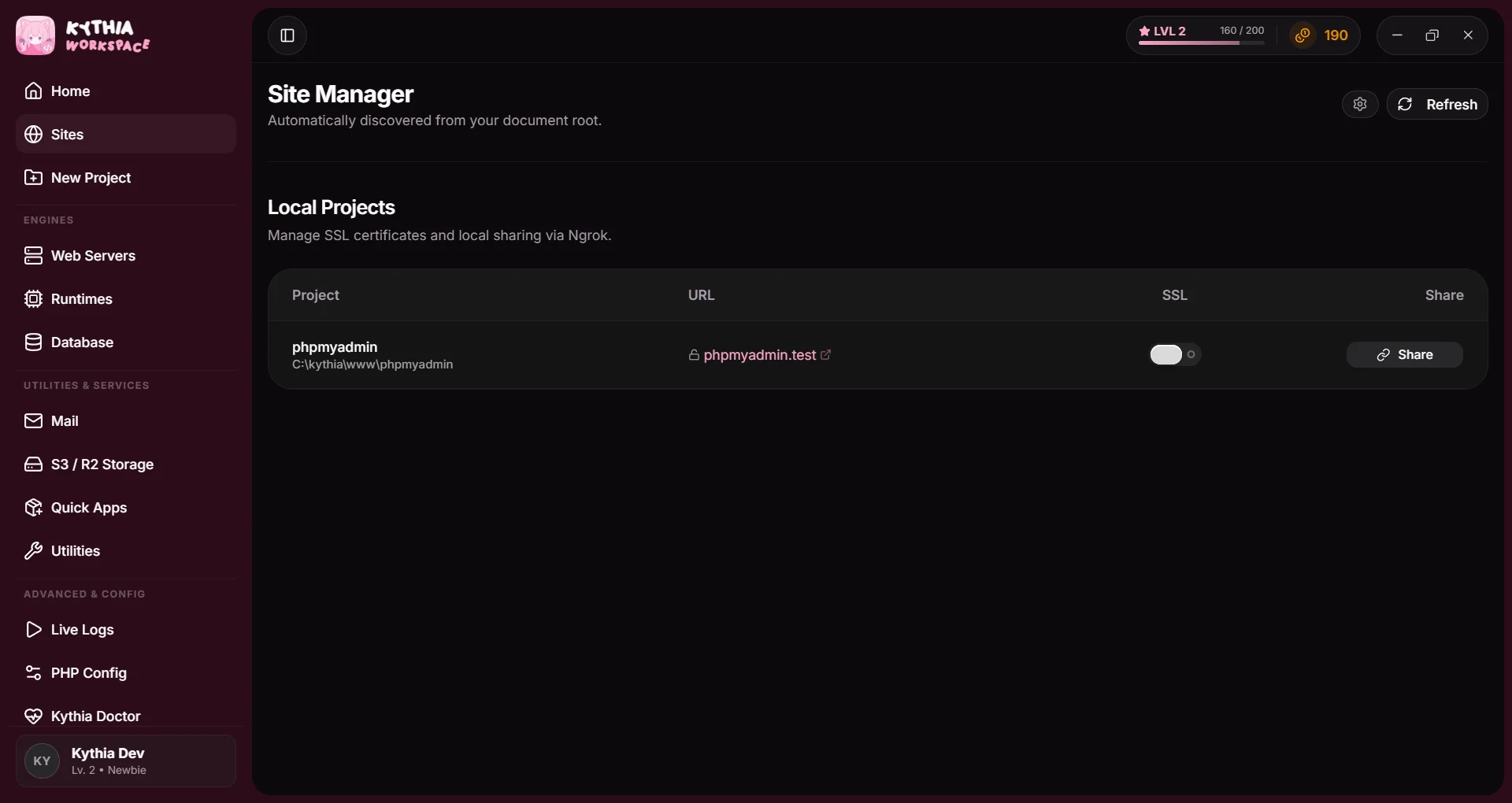
How Sites Work
The Sites Manager automatically discovers projects located in your document root directory and automatically binds them to local domains (e.g., my-project.test).
There is no need to manually click an "Add Site" button! Simply place your project folder in the document root, and Kythia will automatically:
- Discover the project.
- Update your Windows
hostsfile to route the domain to127.0.0.1. - Generate the necessary Nginx configuration for the site.
- Reload the web server gracefully.
Starting a new project from scratch?
If you want to scaffold a brand new project, use the Projects tab instead! Click New Project to automatically generate projects using your favorite frameworks (Laravel, Next.js, Nuxt.js, Astro, React, Vue, Svelte, Solid, Angular, NestJS, and more). Once your code is generated, it will automatically appear in your Sites manager.
SSL (HTTPS) Support
Modern web development often requires HTTPS to test features like Secure Cookies, WebCrypto APIs, or OAuth redirects.
Kythia makes generating local certificates incredibly easy:
- In the Sites list, locate your site.
- Toggle the SSL/HTTPS switch.
- Kythia will generate a trusted local certificate (using
mkcertunder the hood) and configure your web server to serve it.
The first time you enable SSL, Windows may prompt you with a security warning to install a local Root Certificate Authority. You must accept this for your browser to trust the local HTTPS connections.
Managing PHP Versions
By default, all your local sites run using the Global Active PHP Version.
If you need to switch PHP versions (for example, switching from PHP 8.1 to PHP 8.3 to test a new Laravel project), you simply go to the Runtimes tab and click Set Active on your desired PHP version.
Kythia will instantly re-route all your local domains to the new PHP engine without requiring you to restart your web server.
Sharing Sites (Ngrok)
You can instantly expose your local sites to the internet using the built-in Ngrok integration. This is perfect for sharing your progress with clients, testing webhooks, or testing on mobile devices.
- First, click the Settings gear icon at the top right of the Sites tab.
- Enter your Ngrok Auth Token (you can get this for free from the Ngrok dashboard) and click Save Settings.
- In your sites list, toggle the Share switch next to the site you want to expose.
- Kythia will generate a secure public URL and copy it to your clipboard automatically!
Using the CLI
If you prefer the terminal, you can manage your sites directly using the global Kythia CLI:
# Scaffold a new site & virtual host automatically
kythia site create myproject.test

# List all currently configured local sites
kythia site list